Drop an .exe or .dll; tlk-hex turns it into readable
assembly, extracts the functions and calls, and draws the flow. To understand what's there.
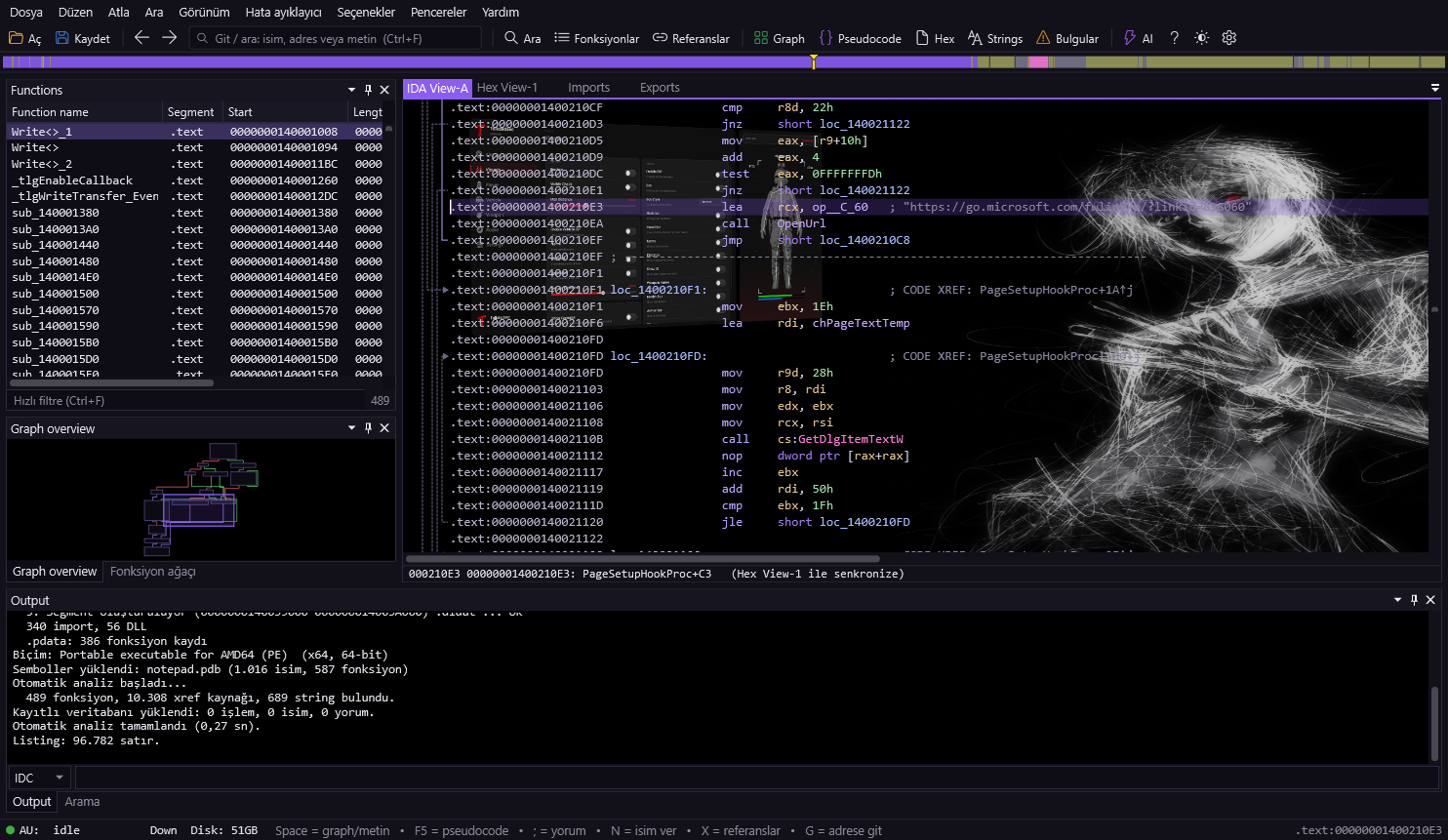
Its own PE / ELF / binary loader and disassembler engine. Functions, cross-references, switch tables, strings and data types are recovered automatically.
Space for the function's block graph. Green/red/blue edges, zoom, bird's-eye map.
F5 for a C-like, readable form of the assembly. With AI connected you can get a cleaner translation too.
Names, strings, code lines, comments, byte patterns (48 8B ?? 05) and immediates — results as you type.
Downloads PDBs from the Microsoft symbol server; names like sub_140001A54 become real function names.
View raw bytes, edit with F2, apply patches to a file or export as DIF. The original stays intact.
Rename, add comments, fold functions. Your work is saved and comes back when you reopen the file.
With your own API key: ask "what does this function do?", get a security assessment, improve the pseudocode.
Collects suspicious API usage, high entropy, unsigned file and similar indicators in one list.
Addresses, cross-references, stack variables, import calls and segments — the layout you're used to.
Double-click a name to jump there; Esc to go back. Hover over a name and its preview pops up.
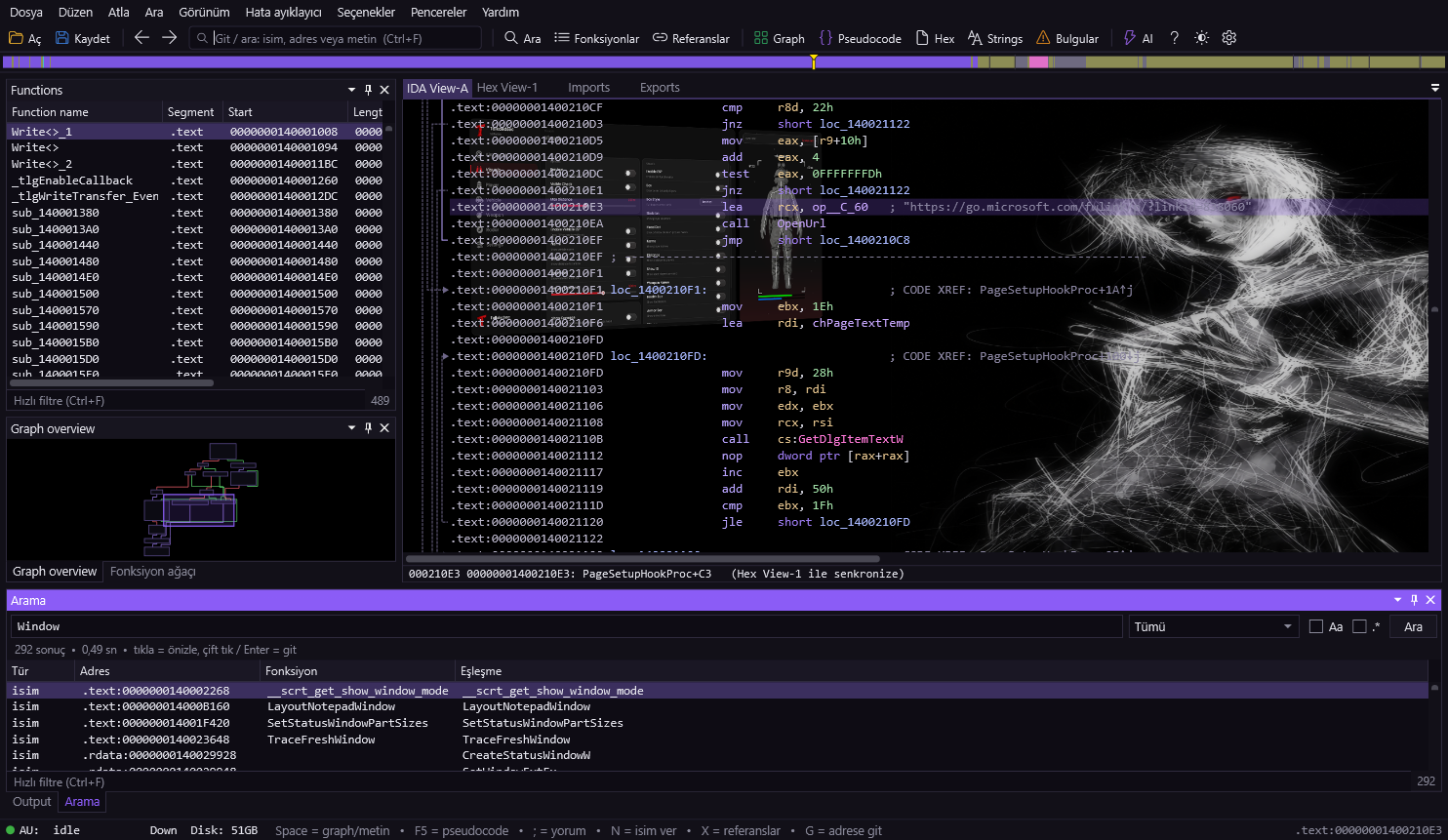
Pick a scope — names, strings, code, comments, byte patterns, immediates — start typing, watch the results fill in.
Click a result = preview; double-click or Enter = jump there. Seconds even on big files.
No. tlk-hex is an analysis and reverse-engineering tool: for understanding your own code, malware, CTF challenges and authorized security testing. Removing the copy protection of software you didn't buy (cracking) is neither the purpose of the tool nor supported. Use it on files you're authorized for, for learning and research.
Windows PE (EXE, DLL, SYS, OCX, CPL, SCR, DRV, EFI), Linux ELF (incl. .so) and raw binaries. x86 and x64 are fully supported; other architectures load as data.
No, it never runs it. tlk-hex does static analysis only — it reads the file from disk and decodes its code. The file you inspect is never executed, which is why it's suitable for examining malicious samples.
Only the PDB file's name and identity (GUID) go to the Microsoft symbol server — not the file itself. Downloaded PDBs are cached, so the same file is named offline next time. You can turn it off in Options.
Your own API key. Options → AI support. Without a key, AI features are disabled; analysis and everything else work fully without one.
No. Ctrl+W writes your work to a separate database — the original file is untouched. Reopen the same file and your names, comments, definitions and patches come back.
 tlk
tlk