tlk-tune

Terminal music player · Windows · Linux · macOS · MIT

Everything a desktop music player does, in eighty columns.

Album art in colour. Lyrics that follow the word being sung. A ten-band equaliser. Loudness levelling to broadcast standard.

One 5.5 MB executable — no ffmpeg, no codec pack, no runtime.

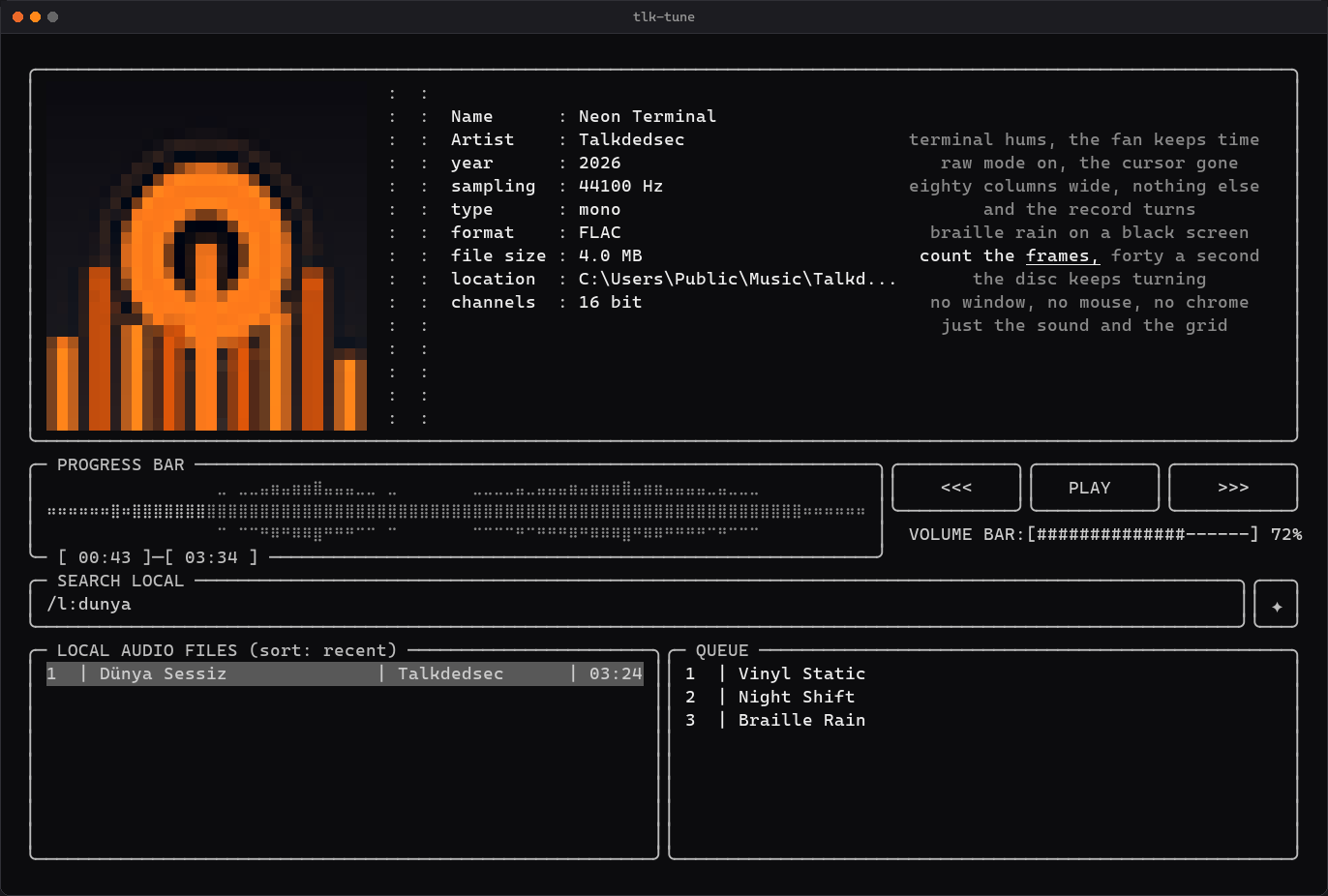
This player is live. Click the record to pause it, drag the waveform to seek, click a row twice to play it. p n b ← → work too.

tlk-tunedemo · silent
Name
Neon Terminal
Artist
Talkdedsec
sampling
44100 Hz
format
FLAC
file size
4.0 MB
channels
16 bit
PROGRESS BAR
[ 00:00 ]─[ 03:34 ]
VOLUME BAR:[] 72%
LOCAL AUDIO FILES (sort: recent)

    01 — The part nobody expects

    A text program you can use with the mouse.

    Click the record to pause it. Drag the waveform to seek. Click a row once to select it and again to play it, right-click to queue it. Roll the wheel over the list.

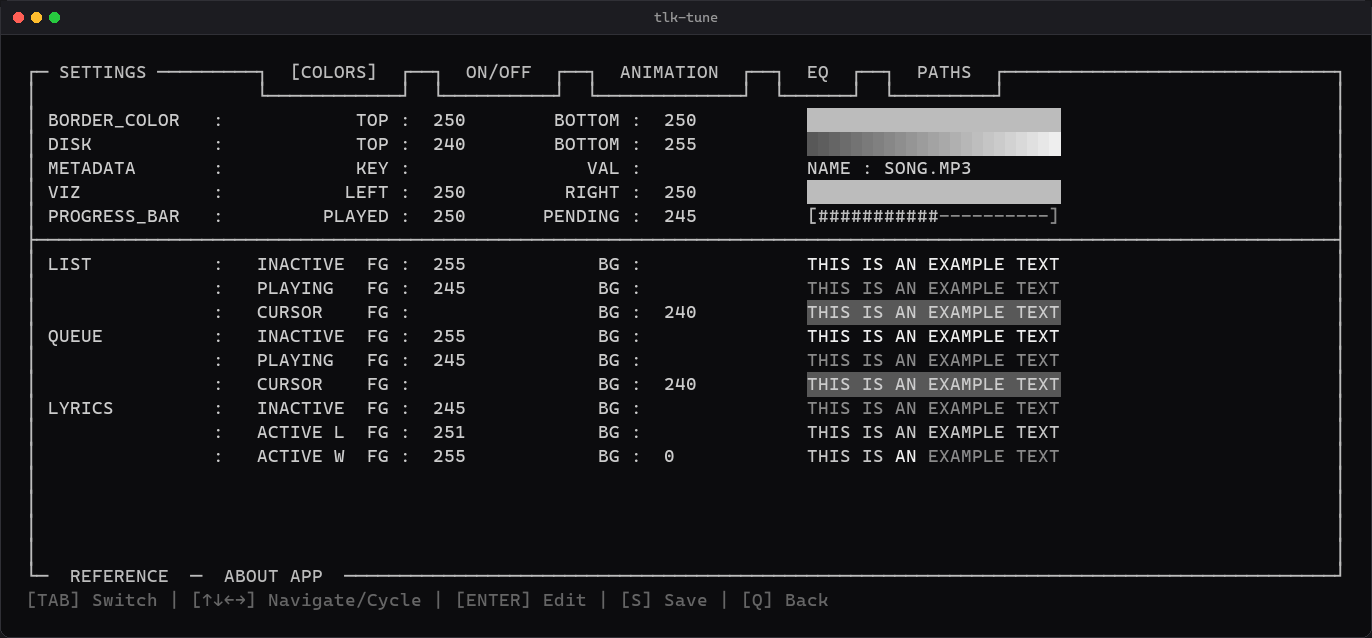
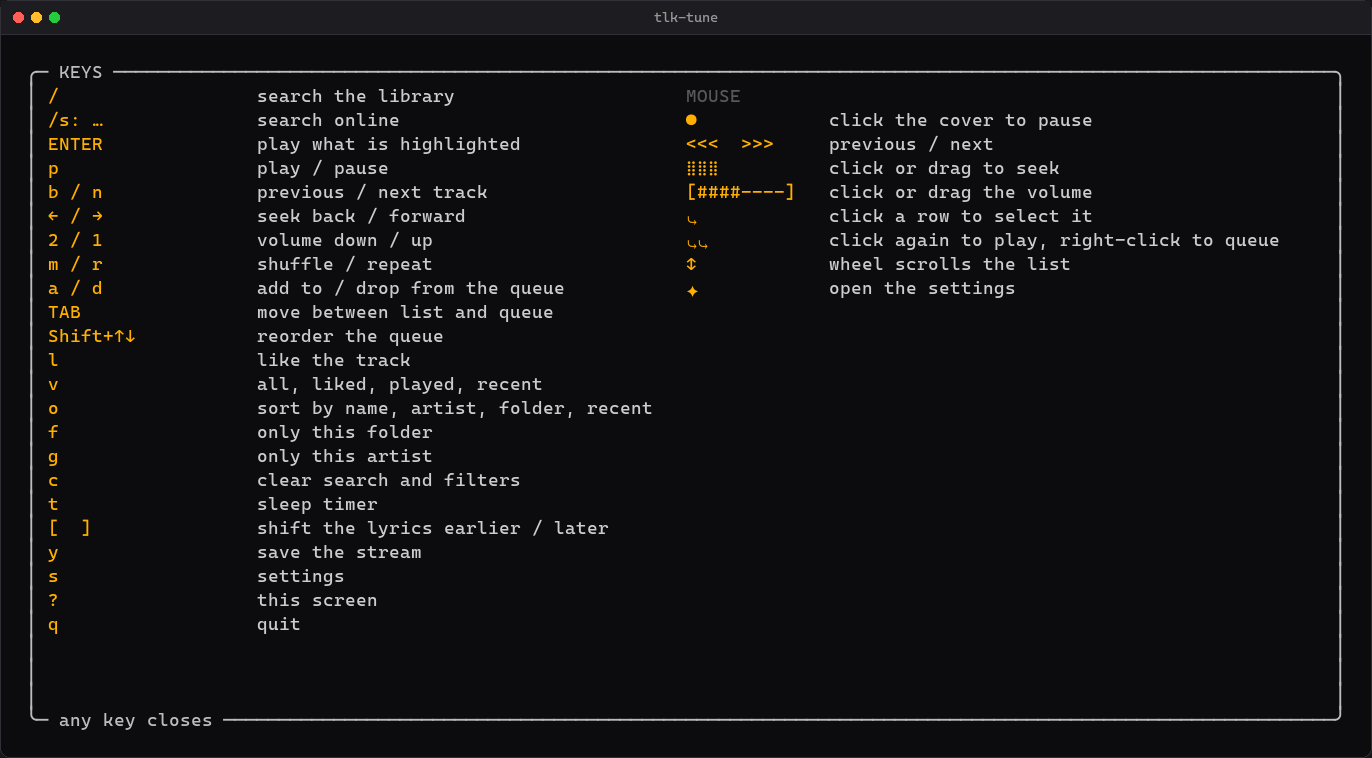
    Every colour, every toggle, every slider on the settings screen is clickable too. There is no configuration file to open unless you want to. The keyboard does all of it as well, and ? puts both on screen.

    The library filtered by a search typed without Turkish characters
    aSearch that ignores accents: dunya, typed on a keyboard with no Turkish on it, finds Dünya.
    The settings screen on the colours tab
    bEvery colour edited against a live preview. Seven tabs, no text editor.
    The help overlay listing keys and mouse gestures
    cEvery key and every gesture, one ? away.
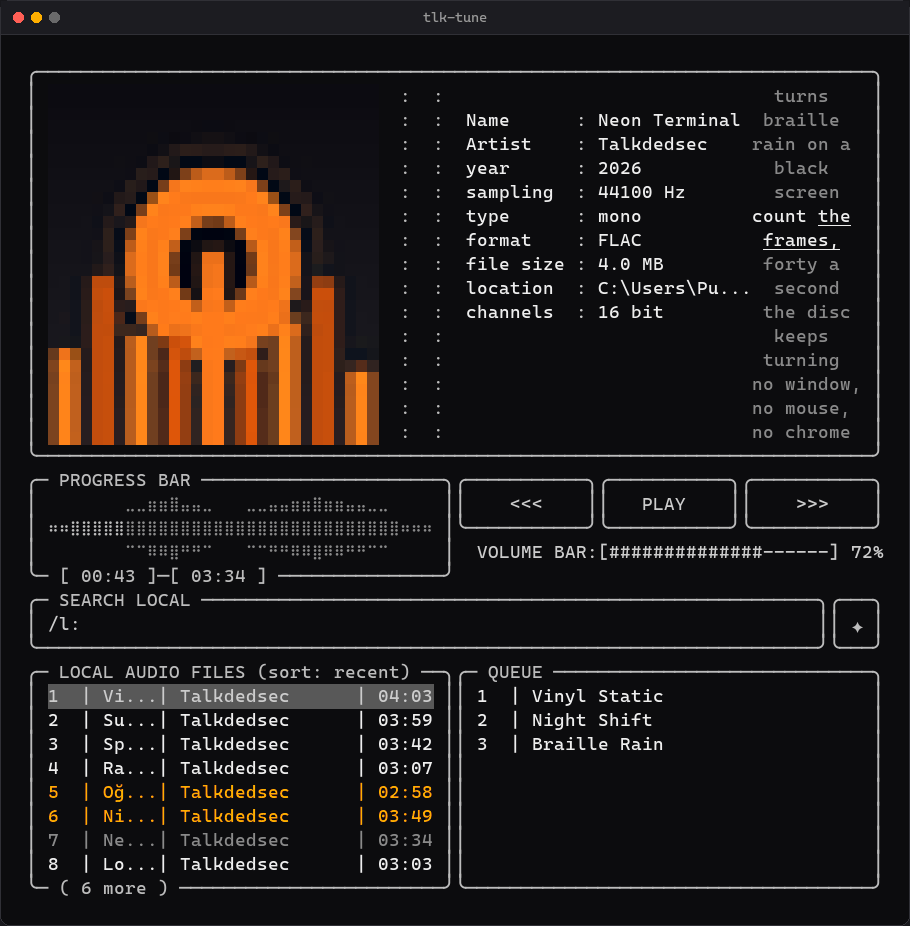
    The same player at 78 columns, with the list truncated to fit
    dIt folds itself down when the window is narrow, instead of letting the frame scroll away.
    5.5MB

    One executable. That is the whole install.

    0codecs

    to install. MP3 to AIFF, decoded natively in Rust.

    8formats

    MP3 · FLAC · WAV · OGG · Opus · M4A · AAC · AIFF

    −18LUFS

    EBU R 128 levelling. Each track measured once, then never too loud again.

    12second crossfade

    Gapless by default. The output device opens once and stays open.

    3systems

    Windows, Linux, macOS. Built by CI from the tag, with SHA256SUMS.

    02 — Sound

    Ten bands. Flat is bypassed, not computed.

    31 Hz to 16 kHz at ±12 dB, with the seven presets the player ships with. Drag a band, or focus it and use the arrow keys, exactly as you would in the terminal.

    03 — Everything else

    i. On screen

    • Album art in colour, from the embedded cover or a cover.jpg beside it. Real pixels in Windows Terminal, kitty, WezTerm, Ghostty, foot and xterm.
    • Lyrics with the current word lit, from a .lrc file or LRCLIB, shiftable per track.
    • Live FFT spectrum, a braille waveform of the whole track, a reactive sphere.
    • English and Turkish, switched without restarting.

    ii. Your library

    • Folders and m3u, m3u8, pls playlists are equally valid roots.
    • Titles from the tags, cached by size and time, so a large library pays once.
    • Queue, shuffle, repeat, filters, and five sort orders including by album.
    • w writes what you built as an m3u8 with relative paths. l likes, v cycles liked, most played, recent.

    iii. Outside the window

    • Media keys work while the terminal is in the background.
    • Survives an unplugged headset: it reopens the device and keeps going.
    • A sleep timer, and a window title that says what is playing.
    • Online search, streaming and downloads when yt-dlp is on PATH.

    04 — Keys

    The page knows them too.

    Press p, n, b, the arrows, 1 or 2 anywhere on this page and the player at the top answers.

    05 — Install

    Three minutes.

    On Windows, scoop does the whole thing:

    scoop bucket add tlk https://github.com/Talkdedsec/scoop-tlk
    scoop install tlk/tlk-tune

    Nothing is written outside %APPDATA%\tlk-tune and %LOCALAPPDATA%\tlk-tune until you ask for it.